
Is your online business holiday ready? Now’s the perfect time to spruce up your ecommerce site before the pre-holiday shopping season sneaks up on you!
You may be shaking your head and saying “Are you crazy! It’s only June!”
But trust us. Fixing, updating, and crafting content takes time, and any company using ecommerce to sell products over the holidays needs to start addressing their site’s pain points now.
“But how do you identify pain points?”
We’re glad you asked!
Common pain points for ecommerce sites can range from too little content to too much content, to terrible photo quality, and beyond. So, to help you to identify all the things needing to be addressed within the framework of your ecommerce site, we’ve developed the following checklist of questions that need answering.
Are you using the right platform for your brand?
As the popularity of ecommerce continues to rise, it can be overwhelming to choose which platform will work best to sell your products. That’s why we at Treefrog meet with our clients to understand their goals, the product(s) they’re selling, and then suggest the platform we know will best match their specific needs.
Should a client want to change their online store from one platform to another, we can help with that too!
Have you lost track of the last time you updated your online store?
In competitive markets, it’s essential to refresh and revitalize your retail offerings, especially as the seasons change. Forgetting to update your site could cause you to oversell products (without having enough stock), or cause fans of your brand to get bored, seeing the ‘same old’ each time they come to your site looking for something new.
At Treefrog Inc., we offer training sessions that teach you how to enter your ecommerce site and edit your material quickly and easily. This knowledge allows you to remove products you no longer sell and add new ones that you’d like to feature. We can also provide guidance on what to write in your descriptions, how to position your content messaging, and how to leverage social media to create brand awareness!
Is your content helpful and clear?
Strong and descriptive content can be the push an interested customer needs to follow through with their purchase. Without helpful details about sizes, or materials, or product quality, potential customers may feel they don’t have enough information to commit to their order, especially when having to pay for shipping.
How can we help? Our content marketing team uses their expertise to conduct content audits on websites that need improving. By analyzing each page of your site, including every image and description, we develop a detailed document that provides suggestions for growth, editing, and expansion. Should a client then hire us to work on developing their content, we’ll collaborate with them to apply the suggestions we made, update content that needs to be refreshed, and improve the message they’re articulating.
Are your pictures professional?
If your pictures are outdated and blurry, odds are your user experience is being tainted. The modern customer values professionalism, and to stay competitive, your images need to not only sell your products but also needs to communicate the value of your brand.
Our department of graphic designers and photographers can help. With professional equipment and a key eye for lighting, balance, and detail, our team ensures the images our clients use are consistent and brand appropriate.
Have you thought about SEO?
While the above items are important steps in ensuring your website is ready for the holiday rush, they’re irrelevant unless people are able to find your site! This is where our SEO team comes in.
Our team of Search Engine Optimization Specialists make sure that navigation links are accessible, that webpages have unique titles, URLs, and meta descriptions, that page headings are appropriate (in terms of keyword searching), and more. Each of these additions naturally increases success by enhancing site visibility to new and existing customers online. So, while we know it’s hard to start thinking about the holidays already, we can promise you’ll thank us for giving you this little push to start working on improving and updating your site now. Getting a head start will reduce your holiday stress and will undoubtedly help you to secure more sales from happily returning customers.
Once your site is polished to perfection, it will be time to think about how you want to promote it, via social media, email marketing, and other viable channels.
For more information on how our team can help ensure that your ecommerce site is holiday ready, give us a call today at 905.836.4442!
For the second part of our Google PageSpeed blog post series, we’ll be taking a look at more advanced techniques to adhere to Google’s recommendations. If you haven’t had a chance to read the first part to increasing your Google PageSpeed score, start now! Recalling on the Google PageSpeed insight rules, the speed rules include the following:
Avoid Landing Page Redirects
Enable Compression
Improve Server Response Time
Leverage Browser Caching
Minify Resources
Optimize Images
Optimize CSS Delivery
Prioritize Visible Content
Remove Render-Blocking JavaScript
Use Asynchronous Scripts
We’ve already covered avoiding landing page redirects, enabling compression, optimizing CSS delivery and removing render-blocking JavaScript in our first part. In this blog post, we’ll be taking a look at prioritizing visible content, minifying resources and optimizing images.
Note: The following recommendations below assume you fully understand web development best practices as well as server software programming, HTML, JavaScript and CSS programming. If you aren’t too sure of these techniques described, give us a shout and we’ll help you out!
1. Prioritize Visible Content
Putting an emphasis on giving users a high quality mobile experience, Google states “having a mobile-friendly website has become a critical part of having an online presence”. As such, they recommend ensuring that the above-the-fold content of the page is rendered quickly and efficiently.
Above-the-fold is the portion of the webpage that is visible without the need to scroll down. Ensuring the above-the-fold content displays quickly, prevents waiting time for the user. However, if the data exceeds the initial congestion window (a self-imposed variable that limits the amount of data that can be sent), then additional back and forth data transmission between your server and the user’s browsers will occur. This in turn creates a slower and delayed page load for the user.
In other words, if the above-the-fold content isn’t loading quickly enough, users are more likely to leave. The above-the-fold content is the first touch point for most users and they are less likely to stick around for the rest of the webpage to load if the above-the-fold content can’t even load quickly and properly.
What to do:
Structure your HTML to load the critical content first:
Identify the critical content of your webpage. For example, if the page is an article, the body text and images are the most critical content. Third-party widgets may fall as secondary items that can be deferred.
Ensure the critical content of your webpage loads first. Structure your HTML such that the critical content is rendered immediately. For example, you may want to inline a portion of the CSS into the HTML file to ensure the styling of the critical content is rendered first, while the rest of the page is styled after the CSS file is rendered later.
Reduce the amount of data used by enabling compression and/or minifying resources:
Reduce the size of your HTML, CSS and JavaScript files by enabling compression. As discussed in our previous post, to enable compression you will need to make updates to your .htaccess file.
Minify your HTML, CSS and JavaScript files, which is discussed in detail below
2. Minify Your Resources
Ensure the sizes of your resources are reduced to allow faster transferring of data. Reducing the size of your files will require less data to be transferred from your server to the user’s browser, thereby making the above-the-fold as well as the entire page load much quicker.
What to do:
After writing your HTML, CSS and JavaScript code, you can look at ways to reduce the file size by removing unnecessary or redundant code, unused code and applying shorter variable and function names. Although it may be against code-writing best practices, you can also remove commenting, formatting and removing whitespace altogether. For example, the following CSS code is 953 bytes and has commenting, formatting, whitespace as well as redundant code:
It may become taxing to minify all your resources manually, especially if you have a large website. Luckily, there are free tools available online to minify your resources for you. A simple search for “HTML minify”, “CSS minify” or “JavaScript minify”, will result in various tools you can use. The fall back with using these tools as well as minifying these resources yourself is that the code needs to be minified again whenever you make any updates or changes. As an alternative and depending on the CMS you use, you can automate the process by leveraging plugins. For WordPress and Drupal sites, there are many minify plugins available that can minify HTML, CSS and JavaScript individually or all at once.
As a last alternative, you may also want to use Google’s PageSpeed Module if your server is Apache or Nginx. There are various filters that help optimize your website’s page speed inclusive of reducing resources sizes such as Minify JavaScript. Take a look at their mod_pagespeed documentation for more information.
3. Optimize Images
Ensure the file size of images is reduced without significantly impacting their visual quality. Reducing the size of your image files will require less data to be transferred from your server to the user’s browser, thereby making the above-the-fold as well as the entire page load much quicker.
This may require its own blog post in the future since there are plenty of best practices and image optimization checklists to do. It also really depends on how your website is structured: if your website is highly visual than a much more thorough optimization strategy is required. However, if your website has some images here and there, there are quick and easy things you can do.
What to do:
Ensure the images are served at their native dimensions and specify the width and height in the img tag to prevent “popping” when the page is loading
Compress your images to reduce file size. Try using PNG files as they are lossless formats and do not make any visual modifications to the image.
If you’re using JPEG files and are compressing the images, try to reduce the quality below 85. Past the quality of 85, the file size becomes larger but doesn’t improve visually. Compress the image as low as possible without losing visual quality.
Develop With File Size in Mind or Use Tools To Optimize
These recommendations are best executed during the designing and development stage of building the website. Arranging the structure of the content beforehand can prioritize and serve the critical content to users right from the start. Programming HTML, CSS and JavaScript and optimizing the images with the file size in mind ensures a quicker page load right when the website goes live.
In most cases however, these items may be overlooked or unnoticed during the development stage. To act on these recommendations long after a website has been live, we can leverage: enabling compression, minifying resources and image compression.
As noted in Part 1, every website is different and there are little nuances that make your website unique. It’s very important you test these recommendations first before implementing them.
As always, if you have any questions or comments regarding these recommendations, feel free to comment below. We’d love to hear your thoughts, feedback and/or grievances. Thanks for reading!
We bet you’re totally stressed out about boxes, and moving trucks, and how your employees are handling the change.
How do we know?
We’ve been in your shoes. We feel you.
However, more than just our sympathies, we at Treefrog Inc. want to pass on a more valuable ‘moving message’ – a PSA of sorts – to not neglect your online presence during this time.
Trust us, we get it, you’ve got a lot going on. But local profiles don’t optimize themselves when you move, and any change at all creates some risk for your business.
So, to help protect and guide you through this transition, we’ve developed some localized SEO tips you can’t afford to ignore.
1. Build Trust By Providing Detail
In our modern landscape, customers are more likely than ever to search the location, hours, and phone number of a store (from their mobile device) before visiting – especially if it’s for the first time.
If this information is not readily available online, or it is confusing by showing both your old and new locations, customers may choose not to visit the storefront. It becomes a hassle to locate, they’re unable to determine if the store is open, and they’re unsure if the business will serve their needs.
This is especially true for moving businesses that are entering new territory.
If you haven’t already claimed your business and its location on Google Places, (or on other online search engines such as Bing’s Local Listing Center, or Yahoo! Local), it’s crucial that you make this a priority.
However, don’t stop at just providing your address and phone number. If applicable, include as much information as you can. This includes an email, hours of operation, photographs of your new store, your business’ social media accounts, appropriate keywords, and more.
Allow customers to get to know you, and as a result, learn that they can trust you.
2. Collect Reviews & Testimonials
When starting up shop or moving into a new area, it’s critical to build an online persona you can be proud of.
Curious potential customers are likely to not only Google who you are and what you offer, but also what others are saying about you and your service.
This is why it becomes essential to collect positive reviews and testimonials online – whether it be on Facebook, or Glassdoor, or Yelp.
Reviews can be the difference between securing a new client, and not securing a new client, as reviews from real people bring comfort and assurance to other potential customers.
Search engines like Google also rely on reviews to determine the value of your business, website, and online platform. When you receive numerous positive reviews, Google will notice and reward you with better SEO page ranking!
But how do you collect reviews during a transition period?
Capitalize on your big move by launching some creative social media campaigns! For example, you could invite customers to an open house and offer incentives in exchange for tweets, Facebook posts, and reviews! A little buzz goes a long way!
“Just attended company X’s open house at their new location! The store looks amazing! Be sure to check them out! #CompanyX”
3. Develop Quality Content
If you’re a company that is submitting a local online profile for the first time, creating a well-developed persona will help you to instantly build credibility as a business. A great profile will also showcase your professionalism and dedication to attracting potential customers – and that’s the goal, right?
If you’re a business that is simply moving locations and needs to update their profile, now’s the perfect time to reflect and focus in on the new demographic (and geographic area) you’re serving.
Ask yourself: What’s changed? What’s stayed the same? How can you cater to your new audience?
By incorporating geo-specific keywords into your content, search engines will identify proximity and relevance, bringing your profile forward to those in your area.
For example, if your new location is in Richmond Hill, mentioning Richmond Hill specific services in your blog, and including ‘Richmond Hill’ in your ‘about us’ web page, will naturally boost your relevance in that area.
4. Build Your External Links
Want to build even more credibility in your new local area? Connect with in-town associations, your local chamber of commerce, and residents’ social media pages, to acquire backlinks to your website.
For example, if you own company X, and company Y carries one of your products in-store, you could request that company Y will back-link to your website, or tag your social media handles, when they feature said product on any online platform.
This partnership will then contribute to company X’s quality score, as search engines will recognize that company Y has vouched for company X’s credibility as a resource.
The same goes for customers who willingly post on social media about your products, and then also tag you, and your business, in their posts.
Networking and capitalizing on local partnerships will bring more potential customers to your website, and will also help to spark interest in your community, encouraging people to check out your business, and your new location, in person.
Don’t have time to manage all of these SEO localized changes on your own? We’re here to help.
At Treefrog Inc, we can manage every step of your move online, including producing new advertising content and materials, updating your social media platforms, adding new features to your website design, actively working to improve your conversion rates, and more.
If you’re like me, you lean more to the creative side. I came from a world of content, constantly creating fresh new ideas for the readers of an educational trade publication. In 2013, I was drawn into the world of SEO. That may seem like a drastic shift, but not entirely, when you think about it.
The lines of content and SEO intersect quite frequently. In fact, some bloggers go as far as to say that SEO is only about content, and that everything else is “window dressing”.
Well, I completely disagree and I’ll tell you why. SEO as a skill set is very broad. There’s a lot of overlap when it comes to content and SEO, because after all, content is what’s being optimized for search.
However websites also need to be technically proficient in order to appear consistently in search results for associated keywords and phrases. Google is pretty snobby when it comes to the standard of perfection it expects for technical website optimization. If you’re doing everything right, you get a pass. Do it wrong, and you could have a hard time appearing.
It all comes down to user experience. If your site is full of broken links and slow-to-load elements, no one is going to want to stick around.
As marketers, we need to have at least a fundamental understanding of the technical side of things. If our content is not ranking for the phrase we’re targeting, we need to see the bigger picture—over and above the possibility that the text itself is not adequate. Maybe the blog post or article we wrote is fantastic, but the website is plagued with technical errors. This causes users to lose faith, and that’s a very strong signal to Google that the website in question is low quality.
If any aspects of your site are technically unstable, Google’s assumption is that you have not done your due diligence and obviously you’re not a good answer to the question.
Now, I’m not talking about having to delve too far into overly technical SEO. The extremely technical SEO stuff interests me, but I’m more inclined to leave it to our skilled engineers and programmers.
What I am truly interested in is teaching clients about how they can leverage the data at their fingertips, and turn it into something real.
So in this series of posts I want to show you a few tricks to uncover information about your website that you may not know existed.
We’re going to start basic.
Quick Search Console Trick: Finding 404 Errors
Let’s do a quick tutorial. I’ll assume you have access to Google Search Console and that it’s installed and running properly on your website.
You know what 404 errors are, right? The content is inaccessible because of a few possible reasons:
Someone changed the webpage URL, so all links going to it are broken
Someone linked something incorrectly on the site and now it’s returning a “page not found” error
Someone took down a webpage, and did not forward the old link properly
Did you know that Google crawls your site from time to time and has a list of most of the places where 404 errors occur?
How to Find Them:
Open Search Console and select your website
Select “Crawl” from the left-hand menu, and select “Crawl Errors”
Select the “Not found” tab
Click on one of the links in the found set, and then click on the “Linked from” tab
You now have a list of places on the site where the broken link appears. If the list of pages is massive, it could be that the broken link is part of a menu item or something site-wide.
Now, you need to seek out the place where the link exists and fix it, or remove the link.
Keep in mind that 404 errors on their own are not inherently detrimental to ranking on Google. At least that’s what Google tells us. The caveat to this is user experience. If you have a number of links from search results leading users to inaccessible pages on your website, Google will eventually stop displaying your results. The likelihood of users sticking around the website after they arrive at a 404 error is pretty low. So, the tendency is to “bounce” or “pogo-stick” back to the search result to find a better answer to our question. If enough of this activity is going on, it could be detrimental to your SEO.
The above exercise is a good way to do some spring cleaning on your website. Maybe you’ve been adding webpages over the past few years, changing links, taking pages down. Unless you’ve kept a very detailed record of all this activity, and maintained a process for fixing these things, you may have a bunch of dangling 404 errors haunting you.
Search Console is a good way to keep on top of this. There’s also a ton of other features it offers that most content marketers are unaware of. And the best thing is, it’s a free tool.
If you have questions about anything you’ve come across in Search Console or other SEO tools, let us know!
With Google putting an emphasis on high quality content for users in the last few years, there’s been a big push to focus strictly on content marketing. Where the first optimizers started off by taking advantage of search engine algorithms through pure coding, nowadays, producing high quality content has been the primary goal.
And absolutely…content really is important. A website without high quality content is just an empty shell with no pearls. However, as search engine optimizers, it is essential that we don’t lose focus on the technical aspects either and that we also give this side of SEO the attention it deserves.
…which brings us to PageSpeed.
Speedy Content
Part of producing high quality content includes delivering it to users with lightning speed. No one likes clicking on a link only to wait for more than 5 to 10 seconds for the page to load in full. By then, they would probably have left your site: increasing your bounce rate, reducing time on site and affecting your overall user engagement. All these things can impact your keyword ranking.
There are many page speed test tools out there that can help ensure your website performs optimally in speed. Tools such as KeyCDN, pingdom and GTmetrix are great for really analyzing and optimizing your website. But for the purposes of this blog post, we’ll be taking a look at Google PageSpeed Insights.
There are various differences to how Google PageSpeed Insights work versus other page speed tools. For one, it doesn’t actually measure loading time. Rather Google PageSpeed analyzes several different components of your page and gives recommendation on how to improve its performance based on time to above-the-fold load and time to full page load.
As such, there is much debate within the SEO community on whether or not it’s even worth achieving a high PageSpeed score. Some trade offs may occur when trying to achieve a high score (i.e. certain techniques to decrease render time can actually decrease your PageSpeed score). We’ll save the usability and reliability of Google PageSpeed Insights for a later post as this topic requires a much more thorough discussion.
Having said that, Google has the largest market share in search engines. It’s still a good idea to consider these recommendations in conjunction with using other speed tools to compare loading/rending and server response time measurements.
Google PageSpeed Insights Rules
Google PageSpeed Insights is split into two rules: speed rules and usability rules. Since our focus is on speed, we’ll take a look at the speed rules exclusively. The speed rules include the following:
Avoid Landing Page Redirects
Enable Compression
Improve Server Response Time
Leverage Browser Caching
Minify Resources
Optimize Images
Optimize CSS Delivery
Prioritize Visible Content
Remove Render-Blocking JavaScript
Use Asynchronous Scripts
Some of these recommendations will require their own blog post as there are many factors to consider before implementing. For example, improving server response time requires a much more thorough thought process. So we’ll be highlighting the items that are fairly simple to complete.
1. Avoid Landing Page Redirects
Ensure your landing page is not a redirected page. Landing page redirects can hamper the user experience if its takes too much time redirecting to multiple pages. This is especially important for ads, links, and social links pointing to a specific landing page.
What to do:
The best and easiest thing to do in this case is to update all your ads, links and social links so that they are pointed to the correct landing page (i.e. their final destination).
Note: The following recommendations below assume you fully understand server software programming, HTML, JavaScript and CSS programming. If you aren’t too sure of these techniques described, give us a shout and we’ll help you out!
Most web servers in the world use Apache as their server software. There are others such as nginx and IIS. I personally have only had to deal with Apache servers so far and you are likely dealing with it too. (Tip: One way to check is to use Google Search Console’s Fetch as Google tool and look at the fetch details)
Assuming your server uses Apache, to enable gzip compression, you’ll need to use the Apache Module mod_deflate. Depending on the file types you want to compress, insert the following into your .htaccess file:
3. Remove Render Blocking JavaScript
Ensure there are no HTML references to external JavaScript files in the above-the-fold portion of your page. When your browser sees a script in the document, it pauses DOM construction and executes the script before proceeding. Therefore, your above-the-fold content can not be rendered without waiting for the JavaScript resources to load. In other words, avoid placing any JavaScript in the header as it may cause a delay in rendering your page.
What to do:
If the JavaScript resource is fairly small in code, you can inline the script contents into the HTML document. The drawback however is that you are now making the HTML document larger in size with extra JavaScript code.
You can apply asynchronous JavaScript to avoid parse blocking the DOM construction. To achieve this, mark your JavaScript with async
You can also avoid the JavaScript from running altogether until the DOM construction is complete by deferring the script. To achieve this, mark you JavaScript with defer.
Another way to defer, is to simply put your JavaScript in the footer of the HTML
4. Optimize CSS Delivery
In the same manner as removing render-blocking JavaScript, ensure there are no HTML references to external stylesheet files in the above-the-fold portion of your page. Similar to JavaScript, CSS are render-blocking resources. Therefore, your above-the-fold content cannot be rendered without waiting for the CSS resources to load.
Unlike JavaScript, defer and async do not work on CSS files.
What to do:
If the CSS resource is fairly small in code, you can inline the script contents into the HTML document. The drawback however is that you are now making the HTML document larger in size with extra JavaScript code.
The one solution that’s worked for me so far is using JavaScript to defer CSS from loading. Courtesy of www.giftofspeed.com, insert the following code into your HTML footer (replace yourcssfile.css with your actual CSS file).
Place the following snippet within your HTML header. This ensures browsers that don’t support JavaScript can still load CSS files.
What Are You Waiting For? Get Started!
I’ll be saving the rest of the recommendations for a next blog, since they require a little more context and discussion. But these four recommendations are a good place to start optimizing for Google’s PageSpeed Score …assuming you have a good understanding of servers, HTML, CSS and JavaScript.
In the tests we’ve conducted, enabling compression alone increased our PageSpeed Score by 22 points for mobile and 24 for desktop – quite a big jump. Even with trying out these four recommendations, you could significantly increase your PageSpeed score right now.
As a last note, every website is different and there are little nuances that make your website unique, so its very important to test these recommendations first before implementing them right away. With that being said, try testing these recommendations and let us know how it worked out for you!
Thanks for reading! If you have any questions or comments, feel free to comment below! We’d love to hear your thoughts, feedback and/or grievances!
Be warned: if Google finds duplicate content, a spike will come out of the internet and impale your website horribly.
Frightened? Many are. But they shouldn’t be.
Duplicate Content Is Necessary
Let’s consider for a moment that Google, or at least some of the higher ups that hold sway at Google such as this guy, state that every website in the universe has some form of duplicate content on it. Think of press releases, blog quoting, product descriptions between manufacturers and dealers… some duplicate content is just natural. If Google were to drop the hammer on all of this content—i.e. implement a “duplicate content penalty” for any duplicate content it came across—it would make a whole lot of content syndicators really grumpy. Google often doesn’t care about making people grumpy—what it does care about is user experience, because users are the ones who click on ads.
On that note, it’s frustrating for a user to see a bunch of webpages in a search result with exactly the same content. Users like to see diverse angles and opinions on a given topic.
It comes back to user experience. We have to think of why the content is duplicated. Is there a logical and justifiable reason? If so, Google will most likely understand. Google has also given us a number of tools to use to properly outline why the content is duplicated.
The Duplicate Content Penalty
A myth that needs to be cleared up is this: there is no “duplicate content penalty”. Although in extreme situations, websites with a ton of duplicate content (hundreds of pages) have been the victim of a manual action. If Google thinks your site is trying to hone in on ranking by posting myriad pages all about the same topic, with identical content, then the skies may open up and Google will smite thee.
If you have content on your website that is the same as other pages on the same site—a paragraph or two let’s say—then you needn’t worry. As long as there is a clear and logical reason for that content to exist, you’ll be fine.
That being said, Google provides us with the necessary tools to identify and categorize our content so there’s no question about why it exists. I’ve listed some examples of these tools below.
Where Canonicalization Fits In
What the blue hell is “canonicalization”? Well, let’s say you have a product that comes in various colours. Your website may have a different webpage for that product in each colour available, which would make for several pages with the same text (describing the product) with minor differences. To keep this organized, it makes sense to define one solitary page that you wish to show up in a Google search for that product. In this case, it is best to use a practice that no one can pronounce, called “canonicalization”. N.B. I’ve actually heard this term referred to as “chocolization”, and I didn’t have the heart to correct the client.
Canonicalization basically means picking a leader. Consider a clone army. You have a bunch of clones (webpages with the same content, only minor differences, like colour red versus blue) and you only want one to step up to the plate and represent. So, you’d canonicalize all those other peon clones towards the leader. The leader will get all the authority, and she’ll be the one putting herself out there in a search result for the world to see. You’ll need to go through the leader in order to get to all of the other clones. If Google has to choose between too many webpages as the authority, it will just get bored and go acquire another company.
Point being, canonicalization will help define for Google the reason for the duplication. You have a better shot of ranking with the one authoritative leader than with several identical pages all competing for the same keywords.
Canonicalization for Pagination
Let’s say you have an article on your website that spans multiple pages. There’s a tag you can implement to tell Google that you want the first page of the article to rank, not all of the subsequent pages.
The tag is used to signal to Google that there’s a logical sequence to the order of the content.
Users wouldn’t benefit from seeing all the internal pages of an article in a search result; why would you want to start reading an article on page 3? The pagination tag allows you to indicate to Google that you’re aware the article has multiple pages, but you only need page one (the leader) to show up in a search result.
301 Redirects?
We’re not going to get into explaining 301 redirects here, but I mention them simply to point out that canonicalization and redirects are two very different things.
Put simply, you use a redirect if you want to route users and search engines to a new location for the content (a change of address). You use canonicalization when you need all the pages to still be accessible by users. The canonical tag is meant to indicate to search engines that you’re aware the content is very similar across those pages, and you only want the “leader” to show up in a search result.
Key things to remember
We need to keep in mind that canonical tags are a recommendation to Google. Whether Google actually follows this recommendation or not is another story. In other words, I can recommend that a train not hit me if I’m standing in the middle of the tracks, but there’s no guarantee it will listen. In Google’s own words, these tags are used as “hints”, not absolute directives.
Is there a good reason for the duplication? If you’re asking whether something will be perceived as duplicate content, put yourself in the mind of the user. Would someone expect the content to be there? If there’s a good reason for the duplicate content to exist, then we should be in good shape. Where we can apply one of the above tags as a hint to Google, then let’s do that.
There is no duplicate content penalty. Google will not shoot your website in the face if it crawls duplicate content. Will SEO tools pick up on duplicate content as a potential negative ranking signal? Sure. But again, let’s think of why the content is duplicated in the first place. If there’s a perfectly good reason for it to be there, then we should be good.
Unique, original content is always best. There are some cases where you may feel compelled to duplicate content. I’ve seen some clients copy and paste text from a source and use it on their own site. I would not ever recommend you do this. Best case scenario is to write your own version of that content so it’s original. Cite the original source of the content with a genuine link. That’s far more natural than simply copying the content.
Thanks for reading! Let me know if you have any questions.
Updates in Search Engine Optimization have brought content marketing full circle. Nowadays, Google actively abolishes websites that include keyword stuffing, multiple thin pages, misleading information—in essence, Google is encouraging us to be better writers.
But isn’t this the way it should have always been?
When you are able to develop content that is genuinely useful and interesting to your audience, that same audience is more likely to engage with your material, increasing the success of your website and business. This type of content will then also naturally improve your websites SEO results, as well as improve the quality of your online presence.
Below we explore this, as well as some other major search engine shifts, which directly affect how you should be approaching your website content. Understanding where search engines are headed will not only help to keep your website competitive, but will also ensure your message is reaching the audience it is intended for.
So with that, let’s dive in!
A Mobile-Friendly Shift
Is your website mobile-friendly? You’ve likely already run into this question many times.
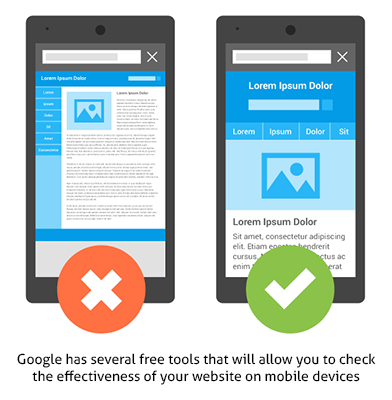
Updating their Search Quality Ratings Guidelines, Google has recently given extra emphasis on the importance of having a mobile-friendly website. As users are more frequently using their mobile phones and tablets (over laptops and desktop screens) to search for information, websites that are not mobile-friendly may fall behind. When people are unable to access, navigate, and read all of the information on your webpage with ease, they are likely to lose interest and abandon the site.
To have a mobile-friendly site means that when a person accesses your web content on their handheld device, they aren’t forced to “pinch and zoom” to get at the content. Google also recommends having a design that is responsive to the size of various screens, which is the preferred route to having a separate site for mobile devices and a separate website for desktop.
Google’s shift to mobile-friendliness affects content by forcing us to think about how someone is consuming content via the medium. After all, mobile devices have smaller reading screens, and people consuming content on mobile are often opting for a quick ‘snack’ rather than a full course meal. While content developers could still write the same detailed content as they always have, mobile users are not likely to keep scrolling and scrolling down, committing to read a long post in its entirety. When most people go looking of for an answer on their phone, they want a quick and tightly packaged response. So – while large-screen webpages have much more physical room for the development of information, writers have had to adjust to the idea of keeping marketable content as concise as possible. Content writers have also been forced to articulate an answer within the first paragraph of content – ensuring a reader receives what they’re looking for before losing interest and leaving the page to look somewhere else.
Long-form content still has a place on mobile, there’s no doubt. If it didn’t, there would not be such wide adoption of e-books on mobile. However, the medium encourages us to focus heavily on our target audience. Are they likely to consume this piece of content on a smartphone? If so, then perhaps we should consider length, the images we opt to use, our desired calls to action, etc. We not only need to think about the reader, but also consider how the reader will best engage with the content we’re putting in front of them.
Link building as PR
It’s no longer common practice, nor is it particularly effective, to purchase or incentivize links that deliver a user to content. Even asking for links is often now considered outdated. It’s far more applicable to acquire links organically; in other words, have people come across or land on your page because they want to, not because you’re asking or positioning them to.
So – how do you receive these organic engagements? Hard work. Link building isn’t what it once was—it’s now essentially a Public Relations strategy. This practice involves reaching out to bloggers and industry publication editors as an expert in a specific field, providing links to applicable sources that may benefit that organization’s developing stories. Positioning your webpage as a reliable resource validates your page as useful, and drives traffic to your site. By acquiring links from media sources naturally—because they were genuinely interested in linking to your article—the next time Google crawls from those outlets to your content, it will give your website that much more credibility, and thus improve SEO.
Engagement VS. Keywords
Traditionally, the importance of populating a webpage with keywords for search engine ranking took precedence over user happiness. SEO departments worked vigorously to compile data concerning which words, when optimized, would lure the most users to a page. SEO would pass this data on to content writers for keyword-focused content to develop.
However, a major shift has occurred. No longer are SEO specialists identifying keywords for the use of content developers – the value of content itself, is now taking priority.
Web developers realized that keywords were getting traffic to a webpage, but that content, which was created only for the purpose of including a keyword, was not providing customer-focused information. Without creating content with user intent in mind, people would stray from these pages quickly – damaging the website’s SEO performance.
Searchers normally have one of three main reasons to conduct a search online: transactional (want to buy), navigational (want to go to), and informational (want to learn). Businesses must now think of content not only in terms of the audience that they’re trying to reach, but also in terms of matching that audiences’ intent. The more you are able to focus your content on what the searcher wants, the more effective you will become at solving both reader and customer problems.
Voice Search Is on the Rise
Siri. Love her or hate her, there’s a lot to be said about what she can do. Siri, Apple’s on-board automated assistant, can help with tasks such as remembering a date, booking an appointment and sending a text message to a friend.
What is of increasing interest is how people are using automated assistants like Siri to search the web. If you ask Siri a question she can’t answer, she’ll take to a search engine (Siri uses Bing)—and that query data gets tracked. Similarly, Google Now will track voice searches from Android device users in the same way as text-based queries are tracked.
The main difference is in the way that people search via voice. They are more inclined to use natural language—including stop words like “and”, “if”, even “please” in their query. This has necessitated a search engine to decipher the true meaning of a query, while sifting through far more specific information. For example, we’re not typing “cheetah running speed”, we’re asking a search engine: “OK Google, how fast can a cheetah actually run, in kilometers per hour?”
These spoken questions are very specific, “long tail” queries. The issue is that they don’t hold enough search volume to gather trend data from. You’d be far more likely to get search query volume for something like “cheetah running speed” rather than the longer variation.
The beauty of the long tail query is that it is so specific that you have a great chance of ranking highly for it. For example, if you were to create a piece of content called “How Fast A Cheetah Can Run In Kilometers per Hour”, and you optimized the heck out of it, your chances of your content ranking when someone searched for that query would be very high.
How does this effect content? Google is pushing a shift for content to adapt to the: who, what, where, why, and how questions that audiences are asking – providing more user-friendly and immediate answers. This then challenges content writers to use alternative methods of communicating information, such as blogging, as a way to specifically target searcher intent – developing content based on common user interests and concerns.
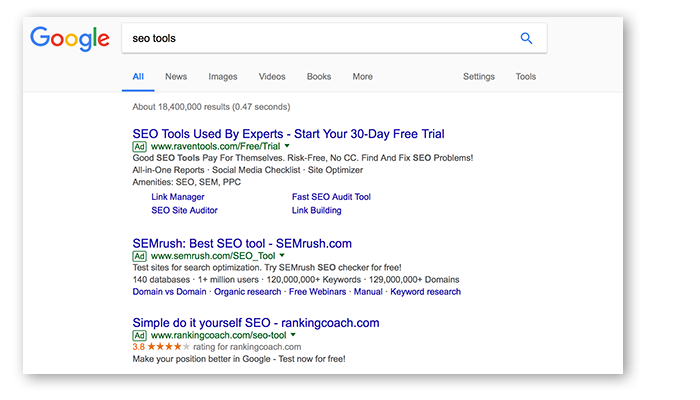
You may not have noticed, but Google has been transforming their small search result “Ad” indicator.
Over the course of AdWords history, Google got rid of the yellow backdrop (sometimes called the sandbox), introduced the small “Ad” icon, changed the icon from yellow to green, and most recently changed the icon again to be an outline; arguably even more indiscernible.
While these new design shifts may seem small, the change holds great significance. Basically, Google is trying to blur the lines between what is a paid and what is an organic search result.
It would seem that Google has done this to intentionally blend and disguise paid ad results with organically listed results, making the difference between the two less obvious. This is likely to increase visits to paid-for ad sites, as many users previously became accustomed to skipping past advertisements – noting the yellow indicator and moving to the organic green results instead.
It is then more important than ever to have engaging content on your web pages, increasing the flow of natural traffic to your site, as well as positioning your brand in a competitive place on Google’s result list.
With great content, organic users will spend more time on your site, increasing your popularity. It is also becoming critical to invest in SEO research, understanding how to make your website competitive with other paid-for advertisements.
As Google continues to improve its algorithms, it is important to keep your website’s content up to date and on trend. More than ever before, businesses must work to understand their customer demographics through detailed analysis, to get a clearer sense of what these users might be searching for. Our web content needs to be informative, helpful, and engaging for our audience, otherwise people just won’t bother reading it.
While it may seem hard to keep up, the team at Treefrog is passionate about keeping on top of industry shifts. Should you need us to help navigate your business through these changes, we’d be happy to help.
Content marketing is all about creating and sharing information online in a strategic way to generate interest in your products or services, develop awareness for your brand, and build trust in you and your company. You can target the information and the way you share it to reach your ideal customers, whether they’re actively searching for you at that time or not.
Generally speaking, the content you share out into the world should bring readers to your website and make them want to connect with you and ultimately do business with you. If you want to engage them and keep them coming back, your content has to be relevant and current.
So, how’s your online content?
Having a comprehensive and engaging online presence has become key for successful marketing, but building quality content takes time. And time can change the relevance of content you’ve written in the past.
When was the last time you really looked at the content on your website? Is there outdated information on it? Are there holes in your content that you need to fill? Is your best content buried and difficult to find? Are you out of content ideas and looking for a way to re-engage? Do you know if your content is bringing visitors to your site and is it resonating with them when they do see it?
Enter content auditing.
A content audit involves reviewing and assessing the information on an existing website to identify flaws, errors, and areas for improvement and growth. An audit can revitalize your online presence by refreshing and re-organizing content, identifying new potential, optimizing search results, and preparing for the future by thinking ahead.
Refresh
Keep them coming back for more with updated content
A content audit will help to ensure your website’s content is up to date and relevant to the marketing goals you are pursuing. If you built your site years ago, and you haven’t worked on it since then, odds are you have content that has expired or is no longer applicable to your current services.
When performing a content audit, content marketers will take note of various ways they can help to refresh your individual pages by adding and highlighting new features, removing or updating outdated information, and looking for opportunities to amalgamate redundant or “thin” content. Search engines aren’t keen on lightweight pages that don’t provide value to users. Sometimes you can combine information from multiple pages to create one high-value page instead. Auditors will also review your content for any grammatical errors or spelling mistakes made by the original publisher.
Having a fresh perspective and a new set of eyes to analyze your content will help to fill in any gaps your content has, as well as to help develop a more user-friendly flow.
Organize
Good content is a good start, but it must be found to be appreciated
It is also a content auditor’s job to find new ways to improve the organization of your website content. You may have the best content going, so it may not be necessary to re-write the material itself, but readers must also be able to find it easily as they navigate your website.
Do you have a dedicated place on your website for blog entries or articles? Where can users access that in your menu structure? Sometimes minor adjustments to how you organize your information and even how you label it can make a big difference in how often readers find it, read it, and connect with you, generating leads for your business.
Discover
Mining for gold in your website content
The day to day of running your business probably includes countless conversations with your clients. They ask questions, and you use your expertise to inform and advise them. You probably don’t realize what a goldmine of content exists in your experience and your day-to-day interactions.
Your website and social media have the potential to have those conversations 24 hours a day when you have the right content. The content marketers who audit your site can help to identify opportunities for new articles and posts that will proactively share the information your customers and prospects are seeking.
These opportunities could include highlighting key advantages in your services pages, or it could mean coming up with new topics for your blog.
A good content auditor will also look ahead to consider all areas for potential growth, including new pages or articles to write, optimizations for your existing content, and opportunities to build connections within your content with linking strategies.
Optimize
Making sure your content finds the people who need it
Content marketing differs from traditional marketing in the way that people tend to seek it out, wanting to consume it, rather than being pressured or forced to consume it. When someone ends up on your website page, it’s usually because they are searching for information related to what you offer. It is then content’s job to keep that potential customer on the page, convincing them of why they should do business with you and not someone else.
However, landing on your page doesn’t happen purely by chance – there is a reason people end up on your website and not someone else’s. A lot of this has to do with SEO or search engine optimization – the process of increasing the visibility of a website or webpage in search engine results for specific keywords.
Your auditor will use their knowledge of SEO and your target audiences and keywords to develop to optimize your content for the right terms in the right way. When done well, there is no “stuffing” of keywords – it’s a subtle blend of the right words, written in a way that users will want to read.
Content marketers also think beyond your website and search results to other ways you share your content. The topic and tone may be adjusted depending on whom you’re talking to and how you’re reaching them, whether through search engine results, social media sharing, or email marketing.
Plan For The Future
Think ahead
A content audit will not only benefit you in the now but will help you to better prepare for the future. Following the completion of your content audit, you will receive a list of recommendations along with a proposed plan to implement the suggestions into your website. It may result in a few content formatting fixes, or it may suggest adding articles or blog entries to your digital presence.
In competitive markets, it is essential that you look ahead. It is important to note that creating engaging content for your website shouldn’t be a one-off event. Content marketers can work with you to format material that can be consistently augmented and updated, such as creating a blog and posting a new content article every week or month. Allowing for regular content updates will keep your business’ online presence fresh, organized, optimized, and relevant as new trends continue to emerge.
Anytime is a good time to spring clean your website content. Let’s talk about your content concerns and put you on the road to content marketing success.
From your company’s site search engine ranking to the number of quality sales leads you receive, good storytelling and valued content reaps reward
Whether your company’s digital marketing strategy is successful or not depends on one key element: consistently producing and publishing great content.
Online and offline, we are bombarded by an unending stream of corporate messaging and advertising wherever we look or go. Naturally, we ignore content that does not interest us or that we regard as hype.
Think about it. You’re a consumer, too. When you’re online, what grabs your attention? Content and messaging rife with corporate jargon, spelling errors, and poor grammar? Or content that clearly and succinctly addresses a challenge you face, is educational, or useful to you in some way?
Can You Tell Your Customers’ Story Effectively?
Fifteen seconds. According to digital content analytics company Chartbeat, that’s about the average length of time visitors to your website spend reading your content.
And don’t be coaxed into thinking if someone socially shares a link to one of your webpages or blogs that they read it first. Some social sharers do, but many don’t. A joint study by researchers at Columbia University and the French National Institute revealed, “though social networks commonly measure a story’s popularity in shares, researchers found that 59% of all links shared in their sample went unclicked, and presumably unread.”
But here’s more promising news: data from the Pew Research Center finds smartphone users will spend an average of one to two minutes reading news articles provided they are well-written and of interest to them. Additionally, having a mobile-friendly website goes a long way toward attracting and retaining mobile-based audiences.
Nevertheless, it still presents you with a formidable challenge. And if you’re still reading this article, consider you need to be able to produce impactful, compelling, and SEO-optimized content that is of interest to your intended audience for a broad range of digital and print properties, including:
In light of the above, there are other important factors to weigh. Can you tell your target customers’ story well? Can you write concisely about how your company and its products and services solve people’s problems? Do you have the time to do it on a daily, weekly, and monthly basis consistently? And do you have the bandwidth and know-how to track the effectiveness of your content marketing efforts?
Admittedly, that last one was a trick question. Determining how strong your content’s performance is (the return-on-investment) at increasing your sales leads and revenues is no simple feat. Why? Because content marketing is a long play, and you need to decide which metrics are important to track.
For example, many companies and publications are taking a different approach to online measurement. By switching from solely tracking the number of pageviews and click-thrus to including time-on-site and other attention-focussed metrics, their goal is to try to infer which content resonates with their audiences most.
Good Storytelling Creates Value
Good storytelling stirs interest and creates meaning, fosters contemplation in its readers, and in turn, becomes valuable to your intended audience. But not everyone is a natural storyteller. And not many business owners or leaders can commit the time to writing engaging content for all of their company’s marketing needs.
You need to be able to weave a compelling tale; to sell without selling. In short, you may need to hire a ghostwriter, aka an anonymous writer, to tell your customers’ story (and subsequently yours) to the world.
Some of the world’s most important literary works were written by anonymous writers. And the practice of hiring a professional writer to write on another’s behalf is as common today for everything from business books to marketing collateral to thought-leadership articles, blogs, and company websites.
But you’re keen to write your company’s content yourself. Okay, what do you need to do? How much time can you commit to writing? And how do you go about writing stories and marketing content that appeals to your existing and prospective customers intellectually or emotionally? Try these tactics:
Find the right topics. The notion of brainstorming with others is dead, and besides, there are no guarantees it will work. Does that mean you need to dismiss collaborating with a group of people altogether and go it alone? Not necessarily. Conferring and working with trusted sources to come up with important topics and an editorial calendar, or to discuss how to approach writing about a particular subject can produce great results. Most importantly, think about your customers and the questions they have for your company. Arrange to have an informal discussion with one of your longtime customers to get their thoughts if you’re uncertain. Or tell a story about how you failed at something – reading someone else’s account of how they mucked up badly, but who ultimately learned from the mistake and went on to succeed never gets old. You can also create a list of what are referred to as “evergreen topics”. Evergreen stories are based on broad subjects that have lasting appeal like why content marketing is important.
Manage your time efficiently. Just as you would plot the tasks involved in conducting any other aspect of business, build an executable schedule that divides up the work you need to do, and don’t waver from it. As you begin to write, different things will occur to you, so allow for lots of revision and editing time.
Research your topic. Once you know what to write about, hop online and find statistics, as well as the supporting or opposing points of views of others and link to them (or cite them accordingly). Depending on what your topic is, and if you can’t find useful sources to cite, you can always get help from a librarian in your community.
Write your first draft. Ernest Hemingway is famously quoted for allegedly remarking, “The first draft of anything is shit.” Whether he uttered those words or not, there is truth in the sentiment, and it is this: don’t get emotionally attached to the first draft of anything you write. Let it ferment in your head. Read it aloud. Have others proofread it for errors. Get the feedback of others you trust, and don’t be hurt by their constructive criticisms, mull them over. Then revise your first draft – and second, third, or fourth drafts if necessary.
Any literate person can write, but writing well is hard work, and you need to be damn good to attract and retain an audience, especially online.
It takes a significant amount of time to adequately research, write, edit, and produce good content for different media types and audiences. You need to discover what your brand’s voice is, determine your writing style, and commit to the craft on a daily basis.
In her 1969 autobiography, I Know Why the Caged Bird Sings, American poet, author, and civil rights activist Maya Angelou wrote, “There is no greater agony than bearing an untold story inside you.” I couldn’t agree more. But sometimes, you need a professional writer’s help to tell that tale effectively and generate the reaction you desire.
Are you ready to tell your story to the world? Drop us a line and tell us what your content marketing and storytelling wants and needs are.
What you need to know about how Google indexes your website
After the Frogs push the Big Red Button and a client’s brand new website goes live, it’s only a matter of time before the client calls and asks why they can’t see their beautiful, new site. It’s not that the site isn’t there; it’s that the Internet, like all technology, works in mysterious ways. Or maybe it’s not so mysterious if you understand a couple of key technical concepts.
When dealing with any kind of technology, particularly the types that are related to the Internet, patience is definitely a virtue. For reasons we’ll get into shortly, it can take up to 48 hours before everyone online will be able to see your new website.
TTL and DNS and caches, oh my!
There’s a common perception that when a new site goes live, it creeps out over the Internet like pond scum over a lake until it’s completely covered the cyber-ether. Not that we want to compare your awesome, new site to pond scum, but that’s the general belief out there as to how the Internet works. It’s not reality, though.
Not to get too technical, but there’s a concept called Time To Live (TTL) (that’s “live” as in “live on stage” or “going live,” not “live” as in “I live in an expensive condo”). TTL can take up to 48 hours, although some Internet users will be able to see your new site much sooner. The reason has to do with domain names and server addresses.
Think of your domain name like a licence plate and your server like the licence plate number. Someone out there wants to find you on the Internet. They punch in your domain name, but their browser doesn’t know where it is. Your browser has to check with the Domain Name System (DNS), a vast database of all the domain names out there, to get your server’s coordinates. Servers are, of course, found on the Net by a string of numbers, also known as your IP (Internet Protocol) address. Then the DNS tells your browser what the domain name’s server numbers are, and voila, that someone has just been pointed to your website.
Because this takes a few seconds to do (ever notice when you first visit a website that it takes longer to load than subsequent visits?), computers store the information in a DNS cache so the browser doesn’t have to keep pinging the Internet Powers That Be each time you want to visit a website. The cache stores the information for whatever the tech guy has set it to, or more likely, the default of almost all DNS systems, which is – you guessed it – 48 hours.
With changes in servers, this means it’ll take up to 48 hours before someone can find your new website.
Flushing the cache
There is a little trick that will empty your DNS cache so you can instantly see your new website. A DNS cache flush requires some serious technical knowledge, but the Frogs can walk you through the process if you find your patience is wearing thin.
The Google problem
Another question related to websites going live the Frogs often get asked is, “Why is my site not listed on Google?”
If you think 48 hours is a long time to wait, consider that Google may not find your new website for six to eight weeks. Google attempts to query the whole internet every day, which is an impossible task. So it takes them a little bit of time to come around to your neighbourhood, knock on your door, and start spidering your website.
Spidering is a technique used by search engines to spread out across the Web to find every site out there. The main way it does this, though, is by finding links on pages it already knows. A brand new domain name isn’t likely to be linked anywhere, so it can take Google quite some time to find it. There are no links or pathways that lead to your website. Add to that that Google adds a “cooling off” period to make sure you aren’t a spammer or nere’do’well, and your website might take months to get indexed. In fact, new sites will take longer, where older sites will get picked up much faster.
While it’s usually best to let Google find your site through spidering, there are sometimes reasons that clients need their new sites to be found as soon as possible. New domain names can be submitted to Google manually, but even then, it takes about a week before Google gets around to checking it out. Keep this in mind when formulating any marketing plans that revolve around a new site.
Not sure if your site has been indexed yet by Google? Try This!
Go to www.google.com and type in “site:www.yourcompanydomain.com” in the search field. If your site appears in the search, then congratulations! …you’ve been indexed! If it does not, you have a little while longer to wait. Sorry! Try sending Matt Cutts a box of chocolates or something to see if he’ll come around to visit sooner.
Another Tip: Try having another website link to you. Oftentimes we find that this speeds up the process a bit as well, as it creates a pathway to your site from another site that Google has already indexed.
Patience is a virtue
It would be nice if as soon as the Frogs pushed the Big Red Button that everyone could suddenly find it and you’d have a million visitors instantaneously, but the reality of the Internet is that everything takes time.
For a variety of technical reasons mentioned above, your website will not be instantly found by visitors or Google. Have some patience and take some advice from Douglas Adams: Don’t panic.