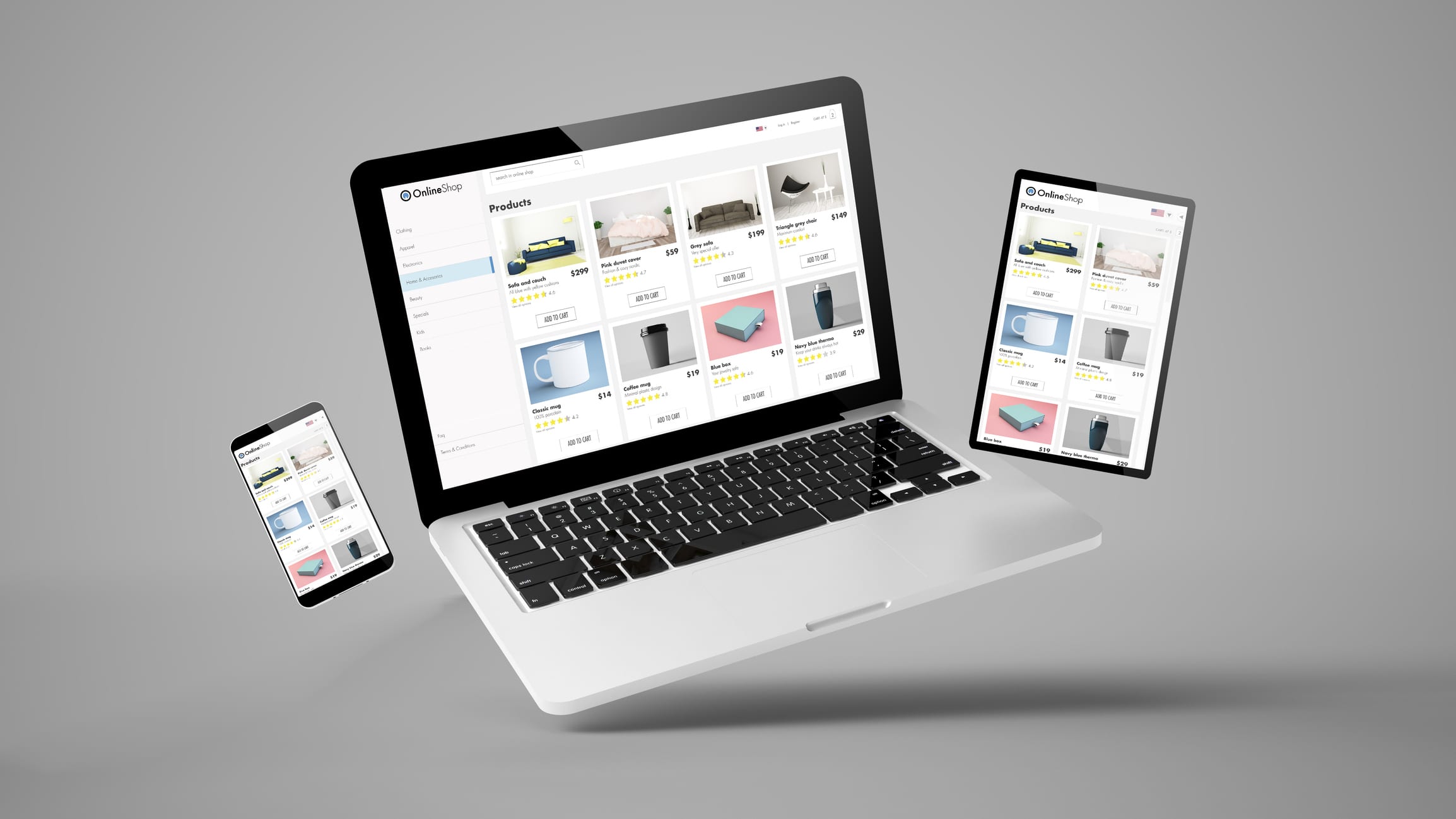
Today, it’s critical to have an online store to reach a wider audience and increase sales. Whether you’re a new company or rethinking your online platform, you need to consider the two best platforms out there, Shopify or Magento. Though Shopify and Magento are often in a battle against each other as the best, they’re both vastly different platforms, and each has its own pros and cons.
When comparing these two platforms to determine which one to use, it can be challenging to decide which one is the best for your business. That’s why today we’re going to tell you the difference between Shopify and Magento, so you can quickly determine which platform is right for your business.
Costs
Firstly, let’s talk about the cost of each platform. Though this shouldn’t be your only deciding factor when it comes to which platform to use, it is something you need to take into consideration.
Shopify is a SAAS software (software-as-a-service), which means users pay monthly fees to host their online store. There are three membership tiers, basic which is $29 a month, Shopify at $79 a month, and advanced Shopify at $179 a month. The downfall of Shopify is that the more you play, the more options you get, like abandoned cart recovery and gift cards.
Magento is a little different, as it costs nothing to use their software. They offer an enterprise solution, which does have a cost to use, though the cost solely depends on your needs.
User Experience
User experience is critical to customer retention and driving sales on your online store, which is why it’s essential to pick a platform that has the best user experience. So which platform has the best user experience?
Shopify is the easier of the two platforms and is the better option for companies that don’t have developers. However, Magento offers many extensions that don’t require any coding, making it just as easy to use as Shopify.
SEO
Search engine optimization (SEO) is critical for your website and online store. It’s how you end up on the front page of Google. If you want your business to increase sales and organic traffic, you need SEO. Both Shopify and Magento rank high for their SEO capabilities.
Though when it comes to SEO, Magento is in the first place. Magento SEO capabilities include headings, meta descriptions, and page URLs and titles. Unfortunately, Magento is not fully optimized for SEO. If you want to fully optimize your online store, you’ll need to hire an agency to help you.
Themes
Designing a beautifully branded website is critical to creating brand awareness and recognition. So it’s essential to find a platform that offers themes that can be easily edited and branded to your liking.
Both Shopify and Magento offer themes, with Shopify offering 69 different themes to choose from. In contrast, Magento offers thousands of themes to choose from. Both have responsive themes, ensuring whether a user is on their phone or desktop, your site will perform flawlessly.
The downfall of Shopify themes is that they don’t allow for many changes to be made to them, whereas Magento allows for more design options. Magento even has a drop and drag option to make design pages quicker and easier.
Conclusion
There are several differences between Shopify and Magento, so whatever you choose, make sure you choose wisely. You want to ensure you select the right platform for your business.
Take Your Business Online
At Treefrog Inc., our Frogs are experts in many fields that can benefit your online marketplace. For more information on how our team can help, give us a call at 905-836-4442.
Nowadays, consumers are looking for more and more customization in their online shopping experiences. Businesses not only need to offer great shipping and return policies, but customer service and customization are key. That’s why adding product configurators to your website is critical to helping you grow your online sales.
Product configurators provide customers with the ability to customize their products at the touch of their fingertips. You are helping them to purchase a product exactly how they want it. What exactly are the benefits of having a product configurator on your website, and how does it help you increase your revenue. We’ll be answering those questions and more in this article.
What are Product Configurators
A product configurator is an interactive software that allows the customer to choose certain product features defined by the business. The product configurator then validates it and enables the customer to move onto the next step.
A product configurator takes a collection of parameters, characteristics, and rules determined by the business. Though it seems simple, it’s a complex software full of regulations that the product configurator will use to validate whether this selection is allowed before allowing the customer to put their choice into the cart. This form of customization allows the user to purchase the item exactly how they want it, but it also helps your business in many different ways.
Benefits of Product Configurators
Reduce Lead Times
When you allow customers to build a product themselves, it will be unique and designed exactly how they want. This will help move the customer through the buyer’s journey faster and allow your sales reps to sell quicker. It will help your sales representatives have all the information they need to send out quotes faster and send orders to the manufacturing team.
Increased Customer Satisfaction
Providing customers with a product designed precisely to their liking automatically helps to increase customer satisfaction. Due to the simplicity and the ability to have a custom product, it increases customer retention and satisfaction. Customers are more likely to return to a business that they had a good experience with versus one they didn’t.
Ensures Correct Orders
How many times have you purchased something, and it’s been incorrect or missing key components? Probably too many times to count. When you have a product configurator, it helps ensure that orders are fulfilled correctly and on time because the invoice is directly sent to the manufacturing team. This will also help to increase customer satisfaction instantly.
Are you Ready?
Are you ready to take your business to the next level? Treefrog has a roadmap and team to get you there. Through our process, we will learn about your goals to help build a time-based, realistic, results-oriented system complete with training and deployment for your team. We are here, guiding you through every step of the way. Our process works with you – to make you and your business better, smarter, and faster.
Give us a call at 905-836-4442; our team of experts is ready to help!
Selling online is a big step to take for your business. It can help you grow your business in ways you could not have imagined. Taking such a massive action requires time and research to ensure you’re picking the best platform for your business.
When picking a platform, you need to consider how customizable it is, the cost of getting started, and where your audience is? However, the number one thing you need to consider is how much they’re taking off your product’s sales. All of this can seem overwhelming and time-consuming, which is why we’ve done the hard part for you. We’ve compiled a list of four e-commerce platforms and covered all the things you need to know about each platform. So let’s get started!
Wix
Wix is an excellent place for beginners to start. It’s low cost and very easy to use. Wix also has a library of pre-made templates to help you get your online store up and running quickly. Don’t be fooled though, Wix still has some downfalls, such as being weak for search engine optimization (SEO) and e-commerce only being available to those with paid plans. You will also need to pay additional fees for integrations and add-ons. These are just things to keep in mind when picking a platform for your online store.
Shopify
Shopify is a Canadian platform and is a great budget-friendly option. It’s more complicated than Wix but still comes with professional themes. Shopify also has a variety of apps and add-ons, which helps with functionality. Like any online platform, they do come with some cons that should be considered. Shopify is limited to what you can do and is a higher price point for enterprise-level plans. Also, there are transaction fees for specific payment gateways. Shopify also makes it challenging to pull external data sources. We love using Shopify, but it’s critical to note that they do take a percentage of your sales, which means it’s good to look at options later down the road as the business begins to grow.
Big Commerce
Big Commerce comes with a lot of features that the previous platforms don’t give you. It’s also fully hosted and easily scalable. However, Big Commerce price lockdowns force you into enterprise accounts when you exceed a certain amount of income. It also lacks robust content management. You’ll have to decide if the pros outweigh the cons on this platform.
Woocommerce
Woocommerce comes with a lot of pros to it. For one thing, it’s free and open-sourced. It’s also highly customizable and comes with lots of support. Woocommerce also integrates with many other platforms and payment gateways. In all, Woocommerce gives you a lot of control and doesn’t take a cut of the profits. This is all great, but unfortunately, it does come with some cons. Since Woocommerce is created for WordPress, you’ll need a WordPress website. It also requires extensions for large-scale product inventory, and attachments can be expensive.
Whether you’re just starting or you’ve been selling online for years, selling online is a vital part of your business’s growth. That’s why having in-depth knowledge of all the e-commerce platforms will help you decide which platform is best for your business. We recommend that you keep researching, and if you have questions about e-commerce that Google can’t help you with, you can always contact the experts at Treefrog.
Connect With Treefrog Inc. Today!
At Treefrog Inc., we understand that starting an ecommerce business is hard, and we want to help! Our Frogs are experts in many fields that can be beneficial to your online marketplace. For more information on how our team can help, give us a call at 905-836-4442.
ERP integration connects your ERP (the system that runs inventory, pricing, orders and invoicing) to your website or online store so data moves between them automatically. Customers see live stock, their own pricing and their order history online, and your team stops re-keying web orders into the ERP. It works with most ERPs, including SAP, Epicor and SYSPRO, and with older, legacy systems.
This guide covers how ERP integration works, what it does for your customers and your team, how a project runs, how to prepare your people and what it costs.
What is ERP integration?
Your ERP holds the facts about your business: products, stock levels, customer accounts, pricing, orders and invoices. Your website is where customers look for those facts. Without integration, the two are kept in step by hand, or not at all.
Integration takes the data from both systems and combines it into a single source of truth. That data is then synced back to each system, so what customers see on the website always matches what the ERP says. The same combined data can then drive reporting, automation and better service.
What can you connect between your ERP and your website?
Inventory and availability: live stock levels, restock dates for out-of-stock items and accurate delivery estimates by warehouse.
Pricing: list prices, customer-specific pricing and time-limited promotional pricing, changed once in the ERP.
Orders and quotes: web orders and quote requests flow straight into the ERP, with no re-keying.
Customer accounts: invoices, order status, order history and one-click re-orders in a customer portal.
Product information: specifications and photos that stay accurate everywhere they appear.
CRM data: contacts, buying patterns and service tickets alongside order history.
What are the benefits of integrating your ERP with your website?
Customers get accurate stock and delivery dates
Few things lose a customer faster than checking out, then learning the item is on backorder for months. With an integrated ERP, the website shows when stock is low or gone, picks the right warehouse at checkout and gives a realistic delivery date. Customers can plan and order on their own schedule, whether you sell B2B or B2C.
Pricing changes once, everywhere
Change a price in the ERP and it changes on the website. Customer-specific pricing, down to individual products, becomes manageable through logins and portals, and you can run time-based pricing for a customer group during a campaign or season.
Your team stops re-keying orders
If people are typing web orders or quote requests into the ERP, they are compensating for systems that can’t talk to each other. That manual work invites errors, slows invoicing and fulfilment, and makes it harder to capture clean customer data. Automating it frees your best people for work that needs their judgment, which matters when key roles are hard to fill.
Customers serve themselves
A customer portal lets buyers see invoices and order status, re-order past items without picking the wrong part, and update their own account details. That takes routine questions off your sales and service teams.
You can notify customers about what matters to them
Ask your customers what they want to hear about in real time: back-in-stock alerts, shipping updates, price changes, quote responses, new products. Any change that exists in your ERP or web data can trigger a message, and the same data powers personalized product suggestions, customer-specific promo codes and abandoned-cart emails.
You see what happened, and what’s coming
With web and ERP data in one place, monthly, quarterly and annual revenue reporting is current and accurate, and you can tie it to quoting and browsing activity. When customers use your quoting tools to quote their own customers, you also get an early view of demand further down the channel, which makes forecasting more reliable.
B2B customers can quote their own customers
In B2B, one of the most useful things you can do is help your customers serve theirs. An integrated platform can let a dealer or contractor take your quote, add their own materials, labour and markup, and send it on, which speeds up their turnaround and keeps your products in the deal.
You can grow without adding admin
Once routine processes are automated and customers have the information they need, you can add sales channels, product lines or new markets without a matching rise in order entry and data wrangling. A clean, combined data set is also the foundation for analytics and AI tools later.
Should you connect your ERP to your CRM as well?
Often, yes. A CRM on its own shows contacts and the sales conversation. Linked with your ERP, it also shows what each customer browses, buys together, searches for and can’t find. That fuller picture helps sales guide buyers, tailor product suggestions and spot gaps in your range.
Why spreadsheets aren’t a substitute for integration
Many businesses bridge the gap between the ERP and the website with spreadsheets. It works at small scale, then breaks. Versions multiply as files are passed around, nobody can see changes as they happen, each sheet is built around one person’s logic, and a single slip of the hand can alter critical figures without anyone noticing. Integration replaces that copy-and-paste layer with a system that updates itself, controls who can change what and keeps one version of the truth.
Which ERP systems and web platforms can be integrated?
Treefrog’s process is platform-agnostic on both sides. We have integrated ERPs such as SAP, Epicor and SYSPRO with web platforms such as Shopify, Magento and WordPress, and in many cases we already have modules built that shorten the project. If you’re still choosing an ERP, our Epicor vs SAP comparison is a good place to start, and for the store side see Shopify vs Magento.
How does an ERP integration project work?
Every project is different, but the steps are consistent:
Scope. We document what data needs to move, between which systems, and why. The scoping document is yours to keep.
Platform review. We look at the systems holding the data and decide the best way to move it in and out.
Data analysis. We check the format, completeness and accuracy of your data. Some of it usually needs cleaning first.
Solution design. We design what customers and staff will actually use, such as a price list, a quote request tool or a customer portal, so it works well and looks right.
Build, train and launch. We build in phases, train your team before go-live and keep improving after launch.
How do you prepare your team for an ERP integration?
New systems change people’s day-to-day work: processes, responsibilities and how they deal with customers. Adoption can’t be left to chance. Four things make the biggest difference:
Get leadership aligned first. Every leader should back the project before it’s announced, so the message is consistent across the business.
Find internal champions early. They don’t have to be on the project team. They need to be people others listen to.
Share the benefits for end users early. Short updates at team huddles or town halls build understanding before launch day.
Build training into the schedule. Plan it, don’t assume it. Hands-on practice in a test environment builds confidence, and regular check-ins after launch catch what needs improving.
Can an older ERP or website be integrated?
An older ERP can usually be integrated. Legacy systems and databases still hold valuable data; they just make it harder to reach. Integration puts that data to work now, without the cost and disruption of an ERP upgrade, and buys you time to plan the upgrade properly when you’re ready.
An outdated website is a bigger obstacle. If it isn’t collecting useful data and isn’t easy to use, integration won’t fix that, so the website may need work first. A modern, usable site is a prerequisite for getting value from the integration.
How much does ERP integration cost?
Cost depends on the systems, the data and what you want customers to be able to do, so it’s set during scoping. Large projects can be phased: start with the module that pays back fastest, then use the return to help fund the next phase. Phasing keeps each step affordable and lowers the risk.
Frequently asked questions about ERP integration
What is ERP integration?
ERP integration connects your ERP system to your website or online store so inventory, pricing, orders, invoices and customer data sync automatically between them, without manual re-entry.
Do I need to upgrade my ERP before integrating it with my website?
Usually not. Legacy ERPs can be integrated, which lets you use the data you already have now and plan an upgrade on your own timeline.
Which ERP systems can Treefrog integrate?
Treefrog’s process is platform-agnostic. We have integrated ERPs including SAP, Epicor and SYSPRO with web platforms including Shopify, Magento and WordPress.
What is the difference between ERP integration and CRM integration?
ERP integration syncs operational data such as stock, pricing, orders and invoices. CRM integration adds the customer relationship side: contacts, sales activity and service tickets. Connecting both gives the fullest view of each customer.
How much does an ERP integration cost?
It depends on the systems and scope, which is why the price is set during scoping. Projects can be phased so the first phase starts paying back before the next one begins.
Talk to Treefrog about ERP integration
If you’re not sure where to start, we’ll help you find the gaps between your ERP and your website and the integration that will pay back first. Contact us or call 905-836-4442.
Owning an e-commerce business can be challenging (to say the least), as many factors that can damage a reputation, a brand, and an end product.
If you wish to be successful online, look like a credible business, and be known worldwide, it is important to avoid making these five e-commerce business mistakes:
1. Under Researching Your Competition
Research, research, and more research is key to starting any business. Understanding the market and studying up on your competition will get you one step closer to owning a successful online brand.
Reading case studies on other e-commerce businesses in your market to see what you may want to do better or differently is a good start. In this process, we suggest that you learn how to conduct a competitive analysis.
What is a competitive analysis?
A competitive analysis is an evaluation of what makes you unique when compared to other competing brands. This process will allow you to more clearly differentiate yourself from the competition and make more informed decisions in your marketing strategy.
Search Engine Optimization helps to generate more organic traffic to your website. Before building an online store, you should understand how search engine optimization works and how to use it to your advantage.
When a website is created with Google and other search engines in mind, it is more successful. In other words, it will have a better chance of being found, viewed, and enjoyed.
The higher your website appears organically on a Google results page, the better and more relevant it has been ranked.
Learning how to use the right keywords for your site is a good start when studying and writing for SEO. At Treefrog, we can help you to improve your SEO with a suite of strategies and best practices. We will also help you create, organize, and optimize your web content so that you will be visible when it matters – when your potential customers are looking for services you provide.
3. Choosing The Wrong Web Platform
When starting a business, it is often confusing which website platform to use. If you use a website platform that fits with your business requirements, it must also be reputable and good quality.
The landing page of a website is the first thing users will see when they enter your site. Some elements a website should have to keep potential customers on your site include:
Appealing Design: This will ensure your e-commerce business looks like a professional store, as some web users feel uneasy when shopping online.
Easy Navigation
Category Pages: If you sell a large variety of products in your e-commerce business, this will organize the items so users can find exactly what they are looking for
At Treefrog, we work in many platforms to ensure our clients receive the best website for their specific needs. Some of these include; WordPress, Shopify, Wix, Magento, Drupal, Leap, and custom systems.
4. Neglecting To Optimize Your Site For Mobile Users
Many people have ditched desktop and laptop computers for their mobile devices, which are easier to handle and use on the go. Therefore, it should be of no surprise that mobile commerce is vastly growing.
A research study conducted through Think with Google states that if people have a negative online experience from a mobile device, they are 62% less likely to purchase from your e-commerce store in the future.
As more people are using their phones or tablets when looking to order furniture, clothing, or the latest gadget, it is essential to make sure your website is responsive (mobile-friendly). Mobile optimization will create a more frictionless buyer’s experience.
5. Settling For Slow
We live in an age where everyone is in a rush; we can now order coffee from our phone, we can choose a self checkout lane at the grocery store, and we expect packages to be shipped in a day.
The quickness of technology may be convenient at times, but we’d argue it has created some very impatient people. This is especially true when it comes to your website.
For example, if someone is waiting more than three seconds for your website’s page to load, it is highly likely they will close the page and look for information elsewhere. Therefore, a slow loading page can profoundly impact a website’s conversion rate, engagement, and brand reputation.
Why is page speed so critical?
It is vital to have a fast-loading page so users can get to where they want to go quickly.
Amazon stated that just one second of leg load time on their website would cause a loss of $1.6 billion in sales each year. That’s billion with a B!
Google has the same issue, stating an addition of 0.5 seconds of loading to its search pages causes traffic to drop by 20%.
At Treefrog Inc., we understand that starting an e-commerce business is hard and we want to help! Our Frogs are experts in many fields that can be beneficial to your online marketplace.
Visit our website at www.treefrog.ca for more information, or give us a call at 905-836-4442.
Is your online business holiday ready? Now’s the perfect time to spruce up your ecommerce site before the pre-holiday shopping season sneaks up on you!
You may be shaking your head and saying “Are you crazy! It’s only June!”
But trust us. Fixing, updating, and crafting content takes time, and any company using ecommerce to sell products over the holidays needs to start addressing their site’s pain points now.
“But how do you identify pain points?”
We’re glad you asked!
Common pain points for ecommerce sites can range from too little content to too much content, to terrible photo quality, and beyond. So, to help you to identify all the things needing to be addressed within the framework of your ecommerce site, we’ve developed the following checklist of questions that need answering.
Are you using the right platform for your brand?
As the popularity of ecommerce continues to rise, it can be overwhelming to choose which platform will work best to sell your products. That’s why we at Treefrog meet with our clients to understand their goals, the product(s) they’re selling, and then suggest the platform we know will best match their specific needs.
Should a client want to change their online store from one platform to another, we can help with that too!
Have you lost track of the last time you updated your online store?
In competitive markets, it’s essential to refresh and revitalize your retail offerings, especially as the seasons change. Forgetting to update your site could cause you to oversell products (without having enough stock), or cause fans of your brand to get bored, seeing the ‘same old’ each time they come to your site looking for something new.
At Treefrog Inc., we offer training sessions that teach you how to enter your ecommerce site and edit your material quickly and easily. This knowledge allows you to remove products you no longer sell and add new ones that you’d like to feature. We can also provide guidance on what to write in your descriptions, how to position your content messaging, and how to leverage social media to create brand awareness!
Is your content helpful and clear?
Strong and descriptive content can be the push an interested customer needs to follow through with their purchase. Without helpful details about sizes, or materials, or product quality, potential customers may feel they don’t have enough information to commit to their order, especially when having to pay for shipping.
How can we help? Our content marketing team uses their expertise to conduct content audits on websites that need improving. By analyzing each page of your site, including every image and description, we develop a detailed document that provides suggestions for growth, editing, and expansion. Should a client then hire us to work on developing their content, we’ll collaborate with them to apply the suggestions we made, update content that needs to be refreshed, and improve the message they’re articulating.
Are your pictures professional?
If your pictures are outdated and blurry, odds are your user experience is being tainted. The modern customer values professionalism, and to stay competitive, your images need to not only sell your products but also needs to communicate the value of your brand.
Our department of graphic designers and photographers can help. With professional equipment and a key eye for lighting, balance, and detail, our team ensures the images our clients use are consistent and brand appropriate.
Have you thought about SEO?
While the above items are important steps in ensuring your website is ready for the holiday rush, they’re irrelevant unless people are able to find your site! This is where our SEO team comes in.
Our team of Search Engine Optimization Specialists make sure that navigation links are accessible, that webpages have unique titles, URLs, and meta descriptions, that page headings are appropriate (in terms of keyword searching), and more. Each of these additions naturally increases success by enhancing site visibility to new and existing customers online. So, while we know it’s hard to start thinking about the holidays already, we can promise you’ll thank us for giving you this little push to start working on improving and updating your site now. Getting a head start will reduce your holiday stress and will undoubtedly help you to secure more sales from happily returning customers.
Once your site is polished to perfection, it will be time to think about how you want to promote it, via social media, email marketing, and other viable channels.
For more information on how our team can help ensure that your ecommerce site is holiday ready, give us a call today at 905.836.4442!
Should you integrate an out-of-the-box hosted platform with your website? Or is a customized on-premise solution a better option?
Your website is a contemporary extension of your business but with more important details about you, your employees, and how your products and services help solve your customers’ problems. In a hyperconnected world fuelled by e-commerce, the onus is on business owners and leaders to determine what the best e-commerce solution is to build into their sites.
Whether your company focuses on the business-to-consumer (B2C) or business-to-business (B2B) market (or both), the questions you need to answer are the same: Should you pick a hosted, out-of-the-box software-as-a-service (SaaS) solution? Or go for a more customizable on-premise platform?
Whichever way you choose to go, the solution should be a unified, user-friendly platform that is scalable and which integrates an online store with accounting, point-of-sale, inventory and subscription management tools, and other finance-related functions.
There are, of course, a number of elements you will need to consider, including:
If taxes are based on the location of the shipping warehouse or the shipment’s destination
Are shipping charges determined by a package’s weight, size, or destination? Or do you charge a flat fee?
Inventory control and management
Do you need to connect point-of-sale systems from bricks-and-mortar locations?
Cross-border customs clearance
Fluctuating currency exchange rates
Product discounts or seasonal specials
Overall reporting and metrics
“Here is a simple but powerful rule: Always give people more than they expect to get.” – NELSON BOSWELL
Which E-Commerce Platform Is Best for Your Business?
When it comes to picking an e-commerce solution, the good news is there are options aplenty.
For most small businesses on tight budgets, Shopify has emerged as one of the most popular. Treefrog has integrated Shopify’s and other platforms with many of our clients’ sites, but we also provide custom-built e-commerce solutions.
Although Treefrog can integrate your site with any e-commerce platform you want, most of our clients that have selected a hosted solution have chosen one of the following platforms:
Shopify. Possibly the most popular and widely used e-commerce and shopping cart platform used by small- and medium-sized businesses today, this Canadian company’s solution features a broad range of options. It is easy to set up, has an intuitive user interface, add-on apps, 24/7 support, and its API integrates seamlessly with enterprise resource planning (ERP), customer relationship management (CRM), and other software.
Volusion. This platform features a comprehensive set of shopping tools, round-the-clock support, a user-friendly interface, extensive security features, and a mobile-responsive storefront. Volusion integrates seamlessly with Amazon and eBay, and through its social store builder tool, you can list your products on Facebook. It’s scalable, but the basic version sets a limit on the number of monthly transactions by restricting bandwidth, meaning service charges may apply if you exceed it.
Bigcommerce. This feature-rich solution includes many customizable templates, is easy to use and has an intuitive user interface, 24/7 support, no transaction fees, and has smooth integration with several e-newsletter services and Alibaba. It too is mobile-responsive and provides in-depth metrics and reporting.
Magento CE. An open source e-commerce platform that is available in four variations, the Magento Community Edition is an out-of-the-box solution that you must host on your server, or with its partnering company, Zoey. It includes bundled features including smooth integration with Google Analytics, in-depth sales reporting, and many third-party integration options but it is not PCI-compliant. Existing small business users provide community-based support.
Additional Things to Consider for Your Website
Once you’ve determined which e-commerce solution suits your business best, and taking a 360-degree view of your company and its online presence, there are other considerations to weigh:
A payment gateway. If you’re going to establish an online e-commerce platform, you will also need a payment gateway to facilitate online credit and debit card transactions. A payment gateway is an e-commerce enabler. It’s vital, and it provides a secure link between your site and the banking system. In essence, it provides a merchant-centric, single, automated portal to manage online financial transactions cost-effectively, quickly, and easily. It also makes it easy and flexible for your customers to buy from you online.
Readable, compelling content. If “content is king” then context must be queen. The importance of producing content online regularly cannot be denied, but to be regarded as a thought leader in your industry, your content needs to be persuasive, well-written, and it must provide value to your intended audience, or they will pay it no mind.
Search engine optimization (SEO). A widely used methodology to drive website traffic organically through the use of high-quality content, SEO maximizes your site’s content to rank well in search engines like Google, Bing, and Yahoo!.
High-quality images and design. There is no shortage of cheap, do-it-yourself (DIY) website builders available online promising anyone can create a professional-looking site in mere minutes for free or for only a few bucks. Lest we forget, you most often get what you pay for in this world. A well-designed website with high-quality images lends credibility to your business. A less-than-stellar online presence will hurt your business, not help it.
Using social media tools. More than 2 billion people use social media networks like Facebook, Twitter, YouTube, and LinkedIn on a daily basis. Since sales success requires cultivating relationships, your website should incorporate the use of social media tools, and social media marketing should be a part of your overall marketing efforts. Social tools will also help drive traffic to your website.
Do you have questions about e-commerce platforms and which one is best for your business? Let’s talk. We can help you determine whether or not you need a custom-built solution or an off-the-shelf platform. Our expert programming team have experience customizing and integrating several e-commerce solutions with our clients’ websites.
Choosing the right online payment system for your company website can be tricky as it depends on multiple factors. Each provider’s platform and related services have benefits and drawbacks. Knowing what questions to ask as you weigh each one can make a difference and help you choose wisely
Managing a business and balancing the books each month is a particular trapeze act. To that end, ensuring your e-commerce site has the right payment gateway provider is a pivotal part of the equation. There are options aplenty, but which one suits your company and website best?
What is a payment gateway? It’s an application service provider that facilitates e-commerce transactions between you and your customers, allowing you to accept credit and debit card payments online. Think of it as the online version of a point-of-sale terminal you see in bricks-and-mortar retail shops, at restaurants, and other businesses serving the public.
32% of small businesses increased sales when they began to accept credit cards online
Your business is unique, thus, it has unique requirements when it comes to partnering with a payment gateway provider to accept online payments. Though not all businesses accept credit cards from their customers online, there’s a good argument for doing so. According to Visa Canada, 32% of small businesses in Canada experienced an increase in sales once they started to accept credit cards.
If you currently use InternetSecure’s platform, be advised that company was acquired by Elavon, and in the months ahead, you will be required to migrate to a new API.
Answers You Need to Know
If you’re seeking a new provider because you’ve become disenchanted with your current one, or if you’re simply weighing your options before launching your website, there are a few questions you need to ponder before making a selection, including:
What merchant rates and fees do they charge?
Will their platform integrate seamlessly with your e-commerce platform?
What will the customer’s experience be?
How responsive is their technical assistance?
Will their technical assistance team speak to a third party on your behalf?
How will their platform evolve with your business as it grows?
If you need to pick a new payment gateway provider, there are many worthwhile options to consider. Although Treefrog has the expertise to ensure your site is seamlessly integrated with the payment gateway provider of your choice, we have worked closely with PayPal and Moneris on behalf of many of our clients. Any one of the following reputable firms may provide you with what your company needs:
PayPal
The industry leader in third-party processors, PayPal is probably the most popular and most trusted digital wallet used by consumers worldwide. PayPal is easy to use, has transparent pricing, and good customer service support. For startups and small businesses, PayPal is a great choice. Its technical setup is quick and simple, and if you opt to go with a PayPal Pro account, you can access its API to allow transactions to be completed entirely on your website. Be aware, though, that the former eBay subsidiary’s merchant fees can sometimes be higher than other processors’ fees, and there is a waiting period for transferring monies earned into your bank account.
Moneris Solutions
Based in Toronto, Moneris is Canada’s largest processor of credit and debit card transactions providing a wide range of services for merchants. As of spring 2016, its technology also facilitates electronic business-to-business payments. The Moneris platform is reliable and secure, and the company provides customer support 24/7, a virtual terminal, shopping cart integration, and support for recurring payments. Through its partnerships with Sage Accounting, and its co-founders BMO and RBC, Moneris also provides inventory and sales tracking features. It’s important to note there are financial penalties if you decide to terminate your partnership with Moneris prematurely, and reportedly, there are significant new account setup fees.
Beanstream
Founded in Canada in 2000 and acquired in late 2015 by a Swedish payment-services firm, Beanstream provides payment, risk management, and authentication solutions. Considered a pioneer in the merchant e-commerce space, Beanstream offers monthly contracts, competitive fees, and good customer support services. There are no account setup fees, no monthly fees, no monthly sales minimum requirement, and no termination fee.
Amazon Payments
A subsidiary of Amazon.com, Amazon Payments competes directly with PayPal giving businesses the ability to accept online payments from their customers. Its platform integrates seamlessly with several e-commerce platforms including Shopify, Magento, and WooCommerce. Implementing Amazon Payments is a straightforward matter, and it provides one-click buying, so your customers don’t have to go through the online shopping cart rigamarole. The company’s user fees are viewable on its website, there are no setup or monthly fees, and no fees related to being PCI-compliant. Contracts with Amazon Payments are month-to-month, and there are no termination fees if you decide to end your contact with them. Furthermore, Amazon Payments offers extensive support services for its clients and their third-party developers.
Braintree Payment Solutions
Highly customizable and flexible, Braintree’s payments platform accepts PayPal, Apple Pay, Android Pay, Venmo, Bitcoin and most credit and debit cards, including Visa, MasterCard, American Express, Discover, JCB and Diner’s Club. It accepts payments from a website or mobile app. In general, integrating with Braintree is quick and straightforward, and it works with several shopping carts including Bigcommerce, Shopify, Magento, and Wufoo. There are no monthly fees, no PCI-compliant charges, and no minimum monthly transaction processing amount restriction. PayPal owns Braintree. You do need a PayPal Business Account to link to through Braintree’s administration panel.
Do you have questions about which online payment gateway provider is the right one for your company’s website? Get in touch via email or call us at +1-905-836-4442. We can help you make an informed decision.